RavenPrompts
Home

Find your category

Create and communicate

  • Photography and image
  • Videos
  • Social media
  • Content creation
  • Marketing

Business and organisation

  • Sales
  • Business
  • Finance
  • Productivity

Learn and develop

  • Education
  • Programming

Life and leisure

  • Food
  • Sports
  • Travel
View all categories →
Prompt libraryFavoritesBlogPricingSuggest a prompt
← Back to the blog
Comparison

Compare two options with AI: spot what is missing before you choose

A tidy table is not enough to make a decision. Learn to compare two desks against your space and budget limits, without mistaking missing information for an advantage.

RavenPrompts editorial team · November 17, 2026

Two tabs open, one question still unanswered

You have two desks on screen. One costs less; the other has a drawer you would find useful. You keep switching between tabs and can no longer remember whether delivery was included. You can ask AI for help, but “Which is better?” leaves out what matters most: what you need and what you actually know about each option.

We will compare two fictional products, with figures made up purely for this exercise. These are not offers or a test of any tool. The aim is to finish with a comparison you can check and a specific question to ask the shop before deciding.

Write down your limits first

Separate essentials from preferences. In this example, the desk must be no more than 110 centimetres wide and 55 centimetres deep. The total budget is €120, including tax and delivery. A drawer would be useful, but it is optional.

These limits are different from a score. A desk that does not fit does not become suitable by earning points for its colour or price. And “cheap” means little unless you are clear about whether you are comparing the item alone or the full amount you would pay.

Also note what you still need to check at home: sockets, skirting boards, room to open the drawer and space to sit. AI can organise the measurements you provide; it cannot confirm how a desk fits into a room you have not measured.

Copy the details, including the gaps

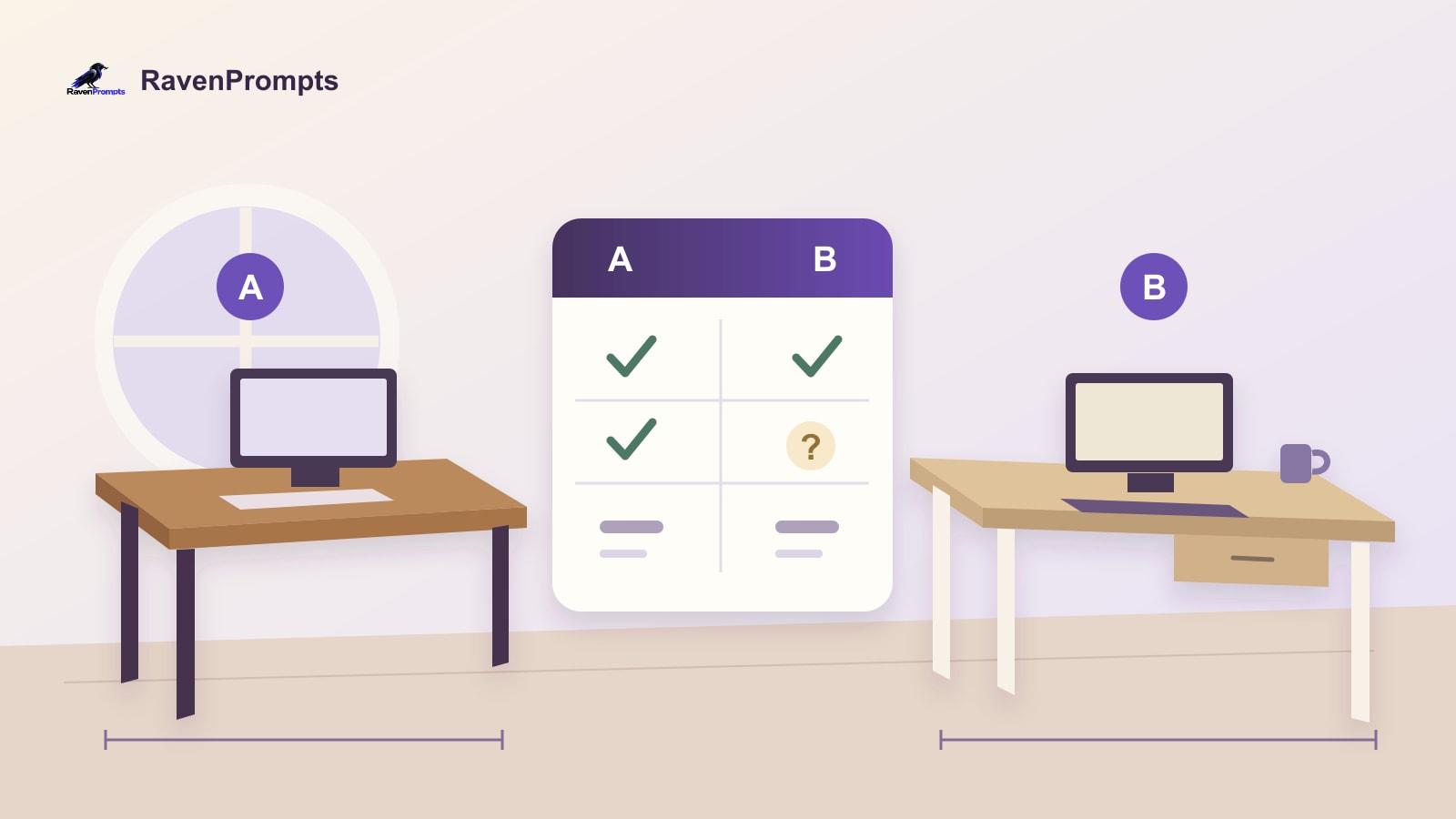
Here is everything we know in this fictional case. Option A: 100 centimetres wide, 50 deep, a tax-inclusive price of €99, delivery costing €15 and no drawer. Option B: 110 centimetres wide, 55 deep, a tax-inclusive price of €109 and one drawer. We do not know B’s delivery cost.

Paste each set of details under its own name. For real products, add the link and the date you checked it so you can verify the information again. Copy the relevant conditions; sending a URL does not guarantee that the AI can open it or read the whole page.

“Not stated” must remain “not stated”. It does not mean zero, free or included. Nor should a sales description such as “durable” become a guaranteed lifespan. This text is enough to practise with; you do not need personal details or a real purchase.

An instruction that keeps uncertainty visible

A prompt is the instruction you type into the chat. You can use this original editorial example and replace the brackets with your information:

“Help me compare these two options using only the information I paste below. My essential requirements are [limits]. My preferences are [preferences]. Make a table with the criterion, option A, option B and what still needs checking. Keep the units and separate the item price, delivery and total. Show each addition. If an amount is missing, do not assume it: leave the total unresolved. Distinguish supplied facts, calculations and unknowns. Flag any options that fail a confirmed requirement, but do not declare a winner if a decisive detail is missing. Finish with up to three useful questions. Information: [details for A and B].”

A clear request and a careful review matter more than a supposedly magic phrase. OpenAI recommends specific instructions and refining the prompt after reviewing the answer. That review is still necessary even if you explicitly told the AI not to invent anything.

OpenAI: tips for writing clear prompts ↗

How to read a useful comparison

Using our fictional figures, A totals €99 + €15 = €114. That is €6 below the limit. B costs €109 plus an unknown delivery charge, so its total is still unresolved. To stay within €120, delivery for B would have to cost no more than €11.

Both options meet the width and depth limits we wrote down, although B is exactly at both maximums. This does not confirm that there is room to use the drawer or move around: those are separate checks. The drawer is an advantage against your preference, not proof of better quality.

These calculations are worked through here as an example, not taken from a tool-testing session. Check them yourself with a calculator. A reasonable conclusion would be: A meets the known budget; B is pending its delivery cost. The question that moves things forward is “What is the final price of B delivered to my address?”

If the answer chooses too soon

If the AI says “B is best because delivery is free”, point out the error: “I did not say delivery was free. Mark it as unknown again and revise only the conclusions that depend on that amount.” Then check that the same assumption has not survived elsewhere in the table.

An orderly answer can still contain mistakes. Review figures, units, conditions and any statement missing from your notes. Be wary of a precise score if it does not explain who chose the criteria and their importance.

When using real information, return to the shop before buying. Confirm the final price, availability, delivery terms, returns and warranty. OpenAI’s documentation also warns that price information can lag behind updates and recommends checking the details with the seller.

OpenAI: limits to the accuracy of answers ↗

OpenAI: product details to check ↗

Keep the method, change the options

Save the prompt in your notes and replace every detail when you reuse it. You could compare two lamps, two shelving units or two materials for a craft project. Keep requirements, preferences and unknowns separate. Do not carry this desk’s budget or measurements into a different decision.

Explore the prompt library if you want to practise other tasks. For this comparison, you already have a complete instruction in the article. What detail do you tend to discover too late when comparing two products?

Explore the prompt library ↗

Before you paste information into an AI tool ↗

Frequently asked questions

Is the cheapest option always the best?

No. It must meet your requirements first. Then compare the full cost and the preferences that matter to you. If decisive costs or measurements are missing, keep that uncertainty visible before choosing.

Can I ask it to find the missing information?

Yes, if the tool has search available. Ask for the source and check that it refers to the right model and shop. If the detail cannot be found, ask the seller; do not replace it with an estimate presented as confirmation.

What if neither option meets my needs?

Ask the AI to state that clearly. You can look for another option or reconsider a preference, but do not hide an essential requirement just to produce a winner.

In this article

01Two tabs open, one question still unanswered02Write down your limits first03Copy the details, including the gaps04An instruction that keeps uncertainty visible05How to read a useful comparison06If the answer chooses too soon07Keep the method, change the options

Your map of AI tools

ChatGPT↗

Independent editorial content. RavenPrompts is not affiliated with or endorsed by these tools.

RavenPrompts

You know which AI to choose. Now put it to work.

Find a RavenPrompts prompt you can adapt to your task and take to your AI tool.

Browse the prompt library ↗View pricing

Related reading

Article

From a voice note to clear writing with AI: start by talking

When you know what you want to say but struggle to write it, try saying it aloud first. Learn to check the dictated text and turn it into a clear message without adding promises or losing details.

Read article ↗
Article

An AI training diary: organise your notes without making up data

Turn your post-workout notes into a record you can check easily. A simple example of keeping repetitions and minutes separate, leaving missing details blank and reviewing the AI’s answer.

Read article ↗
Article

How to check a date with AI before you share it

A screenshot says the workshop has moved. Before forwarding it, find the original notice and check which year it refers to. AI can help you work out where to look.

Read article ↗
Article

Plan a games afternoon with AI in a small flat

Five people, a 90 cm table and an hour to play. See how to ask an AI chat for a plan that fits your space and adjust it if the group changes.

Read article ↗
Article

How to fix an AI reply without starting over

When an AI reply goes off track, point out what to keep, which detail to fix and what the next draft should look like. Here's how that works with a book swap poster.

Read article ↗
Article

How to reschedule an appointment with AI and confirm the new time

A worked example for offering two real slots, checking the time zone and keeping one calendar invitation once the change is agreed.

Read article ↗
Article

Your CV with AI: clearer, without inventing a different life

A useful CV explains what you can do. AI can help organise and review it; the experience, dates and decisions remain yours.

Read article ↗
Article

Before you paste text into AI, check which details it needs

Use a print quote to separate job requirements from private details, ask for a draft with placeholders and check it before you send it.

Read article ↗
Article

Tracking unpaid invoices with AI and a balance you can check

Work through partial payments, a duplicate record and an unidentified receipt while keeping the supporting documents in view.

Read article ↗
Article

Duplicates in Excel: what to check before deleting a row

A nine-row case for choosing a record key, separating repeated data from conflicting amounts, and giving AI a review you can verify.

Read article ↗
Article

Your first AI chat, from rough notes to an email you can check

Start with a real task in ChatGPT. Draft a request for a quote, spot an invented commitment and fix it with a follow-up.

Read article ↗
Article

An AI study plan that fits your actual week

A science example for balancing explanation, practice and review, narrowing the goal when time is short and checking what you have learnt against your course material.

Read article ↗
Article

What is an AI prompt? Simple examples to get started

A prompt is what you ask an AI to do. That part is simple. The interesting bit is explaining what you need without writing a novel or learning a new vocabulary.

Read article ↗
Article

A thousand photos, no folders: getting organised with help from AI

Choose a way to find your memories, try it on ten photos and keep control of what you share. You can ask for ideas without handing over your gallery.

Read article ↗
Article

Gemini and your documents: check before sharing

A packing list for a day out is a simple way to understand the update: the content comes first, then the file.

Read article ↗
Article

The meeting is over. What happens to all those notes?

Granola, Fathom and Otter are changing what we expect from a summary: finding agreements, following a project’s thread and bringing a little more context to the next conversation.

Read article ↗
Article

With so many AI tools, choosing one has become a task of its own

Finding a source, understanding notes, imagining an image and giving a text a voice are different jobs. Looking beyond the familiar names helps explain where each tool might fit.

Read article ↗
Comparison

ChatGPT, Claude and Gemini: three ways to develop an idea

The choice changes when a conversation becomes a document, an ongoing project or a task spread across emails and files.

Read article ↗
Questions and answers

When an idea becomes an image, a voice or a song

AI brings the first version of an idea closer, opening new questions about its meaning, its origins and where it will end up.

Read article ↗
RavenPrompts

Prompts to create, learn and work better with artificial intelligence.

Find your next great prompt.

Follow us

  • Instagram
  • X
  • YouTube

Explore

  • Home
  • Prompt library
  • Blog
  • Free prompts
  • New prompts
  • Suggest a prompt
  • All categories
  • My favorites

Categories

  • Marketing
  • Social media
  • Productivity
  • Programming
  • Education
  • Photography and image
  • Travel

RavenPrompts PRO

  • Plans and pricing
  • My account and purchases

Help and contact

  • Frequently asked questions
  • Contact us
  • Purchase terms
  • Legal notice
  • Privacy
  • Cookie policy

© 2026 RavenPrompts. All rights reserved.

Made to take your ideas further.

Your cookies, your choice

We use necessary cookies for access, security and remembering preferences. You can allow speed measurement and visitor analytics separately. We do not use advertising cookies or cross-site tracking. You can also allow Metricool visitor measurement separately. Cookie policy

Cookie settings

Each optional measurement requires your permission. Earlier choices do not authorise the new visitor analytics. You can withdraw either permission at any time. Metricool is off by default. Your earlier Vercel permissions do not enable it.

They allow sign-in, protect forms and save your choices. Your language is remembered when you select it.

Always active

With your permission, Vercel Speed Insights measures loading, responsiveness and visual stability on some public pages. It does not collect prompts you enter or form contents.

Optional · off by default

With your permission, standard Vercel Web Analytics counts visits to public pages and provides aggregate device, browser and country statistics. We do not send searches, forms or prompts.

Optional · off by default

With your permission, Metricool counts visits to public routes and estimates the country from the IP address. We send no searches, forms, prompts or referring pages.

Optional · off by default

We do not use cookies or pixels to personalise ads or track your activity across sites.

Not currently used

We remember this choice for one year in this browser. You can change it at any time using the cookie button or the footer.

Cookie policy
Home
Prompt library
Blog
Free prompts
New prompts
Suggest a prompt
All categories
My favorites
Marketing
Social media
Productivity
Programming
Education
Photography and image
Travel
Plans and pricing
My account and purchases
Frequently asked questions
Contact us
Purchase terms